What are Data Units?
Data units are used to measure how much data is stored in primary or secondary storage.
Just like we measure distance in metres and kilometres, computers measure data using units like bits and bytes.
The Smallest Unit: Bit
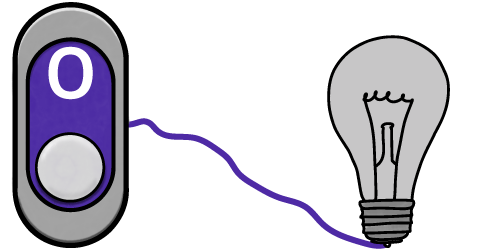
A bit is a single binary digit.
It can be 0 (off) or 1 (on).

Nibble
A nibble is four bits.
One nibble can represent the denary numbers between 0 and 15 (a range of sixteen values, because we include 0).
| 8 | 4 | 2 | 1 | ||
|---|---|---|---|---|---|
| 1 | 1 | 1 | 1 | = | 15 |
Byte
A byte is eight bits.
One byte can represent the denary numbers between 0 and 255 (a range of 256 values).
A single character of text is one byte.
| 128 | 64 | 32 | 16 | 8 | 4 | 2 | 1 | ||
|---|---|---|---|---|---|---|---|---|---|
| 1 | 1 | 1 | 1 | 1 | 1 | 1 | 1 | = | 255 |
Larger Units
Kilobyte

1000 bytes = 1 kilobyte
This is equivalent to 1000 characters of text, e.g. an email
Megabyte

1000 kilobytes = 1 megabyte
This is equivalent to a medium-sized picture from your phone camera
Gigabyte

1000 megabytes = 1 gigabyte
This is equivalent to about 250 songs
Terabyte
1000 gigabytes = 1 terabyte
This is equivalent to lots of HD movies
Converting Between Units
Always remember the correct order (small → large):
Bit → Byte → Kilobyte → Megabyte → Gigabyte → Terabyte
Converting to a Larger Unit
If you are going up the list (e.g. bytes → kilobytes), divide by 1,000 for each unit.
Example: 2,000 bytes ÷ 1,000 = 2 kilobytes
Converting to a Smaller Unit
If you are going down the list (e.g. bytes ← kilobytes), multiply by 1000 for each unit.
Example: 4 gigabytes x 1,000 = 4,000 megabytes
Converting to or from Bits
If you are converting to or from bits (e.g. kilobytes to bits), remember there are 8 bits in a byte, so you will need to perform an additional calculation for this.
Example: 3 kilobytes x 1,000 = 3,000 bytes
3,000 bytes x 8 bits = 32,000 bits