What are Data Units?
Data units are used to measure how much data is stored on a computer.
Just like we measure distance in metres and kilometres, computers measure data using units like bits and bytes.
The Smallest Unit: Bit
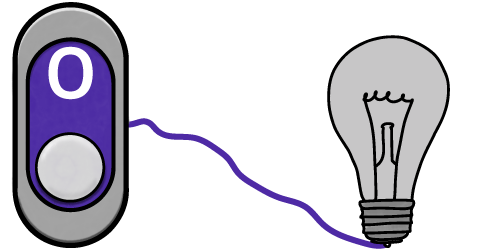
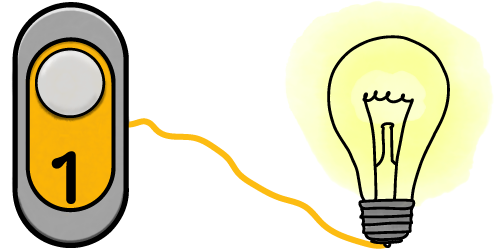
A bit is a single binary digit.
It can be 0 (off) or 1 (on).
Nibble
A nibble is four bits.
One nibble can represent the denary numbers between 0 and 15.
| 8 | 4 | 2 | 1 | ||
|---|---|---|---|---|---|
| 1 | 1 | 1 | 1 | = | 15 |
Byte
A byte is eight bits.
One byte can represent the denary numbers between 0 and 255.
A single character of text is one byte.
| 128 | 64 | 32 | 16 | 8 | 4 | 2 | 1 | ||
|---|---|---|---|---|---|---|---|---|---|
| 1 | 1 | 1 | 1 | 1 | 1 | 1 | 1 | = | 255 |
Larger Units
Kilobyte

1000 bytes = 1 kilobyte
This is equivalent to 1000 characters of text, e.g. an email
Megabyte

1000 kilobytes = 1 megabyte
This is equivalent to a medium-sized picture from your phone camera
Gigabyte

1000 megabytes = 1 gigabyte
This is equivalent to about 250 songs
Terabyte
1000 gigabytes = 1 terabyte
This is equivalent to lots of HD movies
Converting Between Units
Always remember the correct order (small → large):
Bit → Byte → Kilobyte → Megabyte → Gigabyte → Terabyte
Converting to a Larger Unit
If you are going up the list (e.g. bytes → kilobytes), divide by 1,000 for each unit.
Example: 2,000 bytes ÷ 1,000 = 2 kilobytes
Converting to a Smaller Unit
If you are going down the list (e.g. bytes ← kilobytes), multiply by 1000 for each unit.
Example: 4 gigabytes x 1,000 = 4,000 megabytes
Converting to or from Bits
If you are converting to or from bits (e.g. kilobytes to bits), remember there are 8 bits in a byte, so you will need to perform an additional calculation for this.
Example: 3 kilobytes x 1,000 = 3,000 bytes
3,000 bytes x 8 bits = 32,000 bits