A character set is all of the characters, such as A –Z; a – z; 0 – 9; and symbols, which a computer can use.
Each character is stored as a binary number.
There are two character sets you need to know about: ASCII and Unicode.
Each character on your keyboard is represented as a binary number.
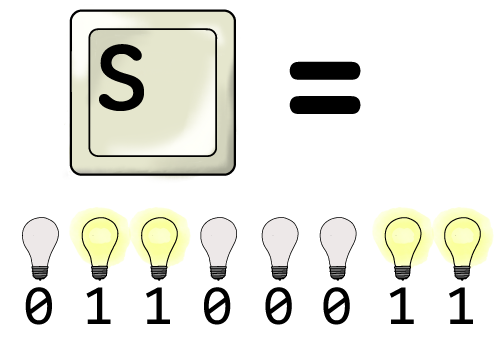
ASCII
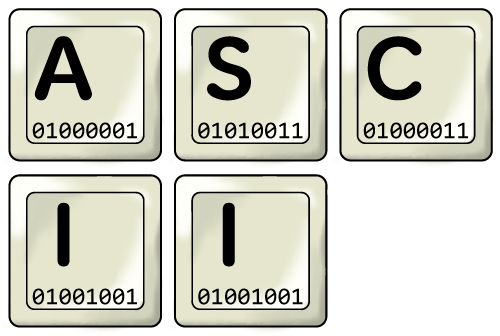
ASCII stands for American Standard Code for Information Interchange (don’t worry, you don’t need to remember that!)
- Uses an 8-bit binary number (1 byte) to represent characters.
- The first character is allocated as 00000000 (0 in denary)
- The last character is allocated as 11111111 (255 in denary)
- 0 – 255 gives us a range of 256 different values, so ASCII can use 256 different characters.
- Remember that uppercase and lowercase characters have different ASCII references.
You can take a look at an ASCII table here: ASCII Table.
Unicode
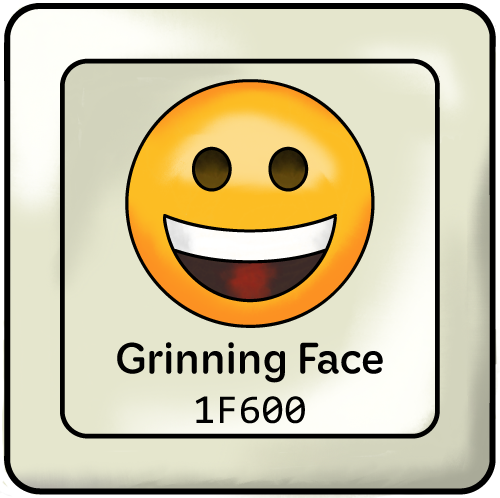
The problem with ASCII is that 256 characters is not enough to store all the different characters used by all the languages of the world. Arabic, for example, uses very different characters to English!
Unicode solves this problem by using 16 or 32-bits instead of ASCII's 8-bits.
- 16-bit Unicode allows 65,536 different characters
- 32-bit Unicode allows billions of different characters
- Because Unicode uses more bits, it requires more storage than ASCII.
Unicode has capacity for more characters than needed by all language combined! So it was decided that some of the spare capacity could be used for pictures. And that's why we have emoji!
Calculating File Sizes

You need to know how to calculate the size of ASCII text files.
Formula for calculating text files sizes:
Bits per character x number of characters = File size
Example:
Each character is 8-bits in size. So, if a file has 1000 characters…
8 bits x 2000 characters = 16000 bits
You should then convert the answer into appropriate units.
- Convert 16000 bits into bytes by dividing by 8, giving us 2000 bytes
- Convert 2000 bytes into kilobytes by dividing by 1000, giving us 2 kilobytes.